







Para los dueños de pequeñas empresas, entender el rendimiento de su web es crucial. Universal Analytics (UA) fue el estándar por años, pero el cambio significativo de Google a Google Analytics 4 (GA4) ha dejado a muchos preguntándose qué pasó y qué hacer. ¡No te preocupes! Esta guía clave te ayudará a descifrar Google Analytics 4 (GA4) para pequeñas empresas, ofreciendo una visión clara y sin rodeos de lo que necesitas saber para seguir midiendo el rendimiento de tu web y tomar decisiones de marketing más inteligentes.
¿Por Qué el Cambio Crucial a GA4?
Universal Analytics fue creado para un mundo donde las webs de escritorio dominaban. Pero el panorama digital de hoy es complejo, con usuarios interactuando en webs, apps móviles y varios dispositivos. GA4 fue diseñado para esta nueva realidad, ofreciendo una forma más flexible, centrada en la privacidad y preparada para el futuro de medir el comportamiento del usuario. Pasó de un modelo "basado en sesiones" a uno "basado en eventos", lo que cambia fundamentalmente cómo se recolectan y reportan los datos. Esto podría parecer abrumador, pero entender este cambio es clave para aprovechar GA4 para pequeñas empresas de forma efectiva. La documentación oficial de ayuda de GA4 de Google ofrece detalles técnicos más profundos.
Diferencias Clave entre UA y GA4 que Debes Conocer
Antes de sumergirnos en cómo usarlo, aclaremos rápidamente los mayores cambios que te impactan, como dueño de pequeña empresa, al empezar con los básicos de GA4:
- Modelo de Datos Basado en Eventos:
- UA: Se centraba en sesiones y páginas vistas.
- GA4: Cada interacción (página vista, clic, desplazamiento, reproducción de video) es un "evento". Esto ofrece una visión mucho más granular del comportamiento del usuario.
- Seguimiento Multiplataforma:
- UA: Principalmente enfocado en sitios web.
- GA4: Construido para rastrear usuarios de forma fluida en webs y apps, dando una visión unificada del viaje del cliente.
- Medición Mejorada:
- UA: Requería configuración manual para muchos eventos comunes (como clics salientes).
- GA4: Recolecta automáticamente muchos eventos comunes (ej. desplazamientos, clics salientes, descargas de archivos, interacción con videos) sin configuración extra. Esto es una gran ventaja para el análisis web para principiantes.
- Capacidades Predictivas:
- UA: Analítica predictiva limitada.
- GA4: Usa machine learning para predecir el comportamiento del usuario como la probabilidad de abandono o ingresos potenciales, ayudando a identificar oportunidades.
- Nueva Interfaz:
- UA: Informes conocidos como Audiencia, Adquisición, Comportamiento, Conversión.
- GA4: Una navegación y conjunto de informes diferentes, centrados en el "Ciclo de Vida" del usuario (Adquisición, Interacción, Monetización, Retención). Esta es a menudo la curva de aprendizaje más pronunciada para los básicos de GA4.
Empezando con Google Analytics 4 para Pequeñas Empresas
Configurar Google Analytics 4 (GA4) para pequeñas empresas podría parecer desalentador, pero si tienes un sitio WordPress básico, a menudo es más simple de lo que crees. Si aún no lo has hecho, asegúrate de que tu propiedad GA4 esté configurada y recolectando datos. Muchos constructores de sitios web y plugins (como Rank Math o Site Kit by Google) pueden ayudarte con esto, o tu desarrollador web puede asistirte. Una vez que los datos empiecen a fluir, aquí te mostramos en qué debes enfocarte para dominar GA4 para pequeñas empresas.
1. Entiende la Interfaz de GA4 y los Informes Clave
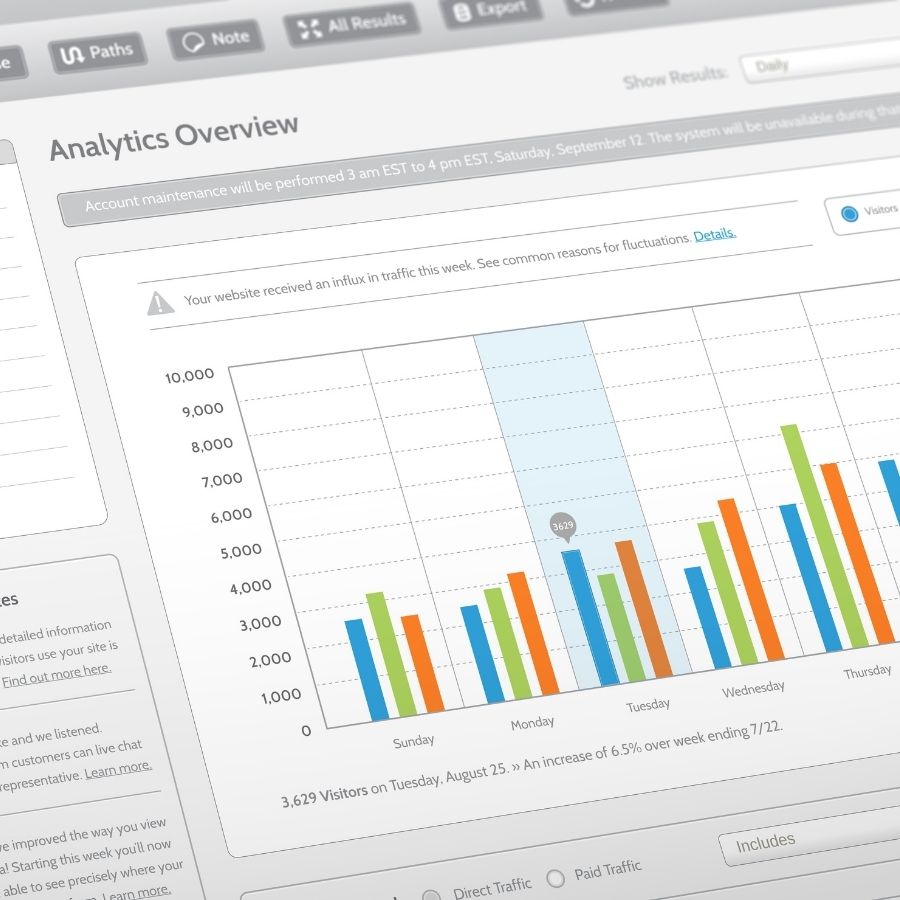
La navegación es diferente, pero las preguntas centrales que quieres responder siguen siendo las mismas. Para Google Analytics 4 (GA4) para pequeñas empresas, céntrate en estas secciones de la navegación izquierda:
- Panel de informes: Una visión general personalizable de tus métricas más importantes. Piénsalo como tu tablero.
- Tiempo real: Ve lo que ocurre en tu web ahora mismo – cuántos usuarios, qué páginas ven, de dónde vienen.
- Ciclo de vida: Este es el núcleo de los informes de GA4.
- Adquisición: ¿De dónde vienen tus usuarios? (ej. Búsqueda Orgánica, Directo, Social, Pagado). Esencial para entender tus canales de marketing.
- Interacción: ¿Qué hacen los usuarios en tu web? (ej. páginas vistas, desplazamientos, reproducciones de video). Métricas como "Sesiones Interactivas" y "Tasa de Interacción" te dicen si los usuarios encuentran tu contenido valioso.
- Monetización (si aplica): Para sitios de e-commerce, muestra ingresos, rendimiento de productos y trayectos de compra.
- Retención: ¿Vuelven los usuarios? Crucial para entender la lealtad del cliente.
- Usuario: Entiende la demografía de tu audiencia y su uso de la tecnología.
2. Enfócate en Métricas Clave para Tu Negocio
No te agobies con cada métrica. Para el análisis web de principiantes, concéntrate en lo que realmente importa para tus objetivos de negocio:
- Usuarios: Número total de visitantes únicos.
- Usuarios nuevos: ¿Cuántos visitantes por primera vez llegan a tu sitio?
- Sesiones interactivas: Sesiones que duraron más de 10 segundos, tuvieron un evento de conversión o tuvieron 2+ páginas vistas. Esto reemplaza la "Tasa de Rebote" como indicador clave de interacción de calidad.
- Tasa de Interacción: El porcentaje de sesiones interactivas. Una tasa más alta significa que más usuarios encuentran valor.
- Conversiones: Son críticas. ¿Qué acciones quieres que realicen los usuarios? (ej. envíos de formularios, llamadas telefónicas, compras de productos, suscripciones a emails). Asegúrate de que estén configuradas como "Eventos de Conversión" en GA4. Así es como realmente mides la efectividad de tu web para el seguimiento del rendimiento.
- Recuento de eventos: El número total de eventos activados en tu sitio. Puedes profundizar en eventos específicos (ej. "scroll", "click").
- Adquisición de Tráfico: Se encuentra en Ciclo de vida > Adquisición > Adquisición de tráfico. Este informe te dice qué canales (Búsqueda Orgánica, Social, Directo, Referencia, Búsqueda Pagada) traen usuarios a tu sitio. Esto es vital para ver si tus esfuerzos de marketing están dando frutos.
3. Configurar Conversiones (¡La Parte Más Importante!)
Para cualquier pequeña empresa, el seguimiento del rendimiento de la web significa seguimiento de conversiones. En GA4, casi cualquier interacción del usuario puede marcarse como una conversión. Ejemplos comunes:
- Envíos de formularios (ej. formulario de "Contacto")
- Clics en números de teléfono o direcciones de correo electrónico
- Descargas de PDFs o folletos
- Compras (para sitios de e-commerce)
- Visualización de una página clave (ej. página de "Gracias" después de un registro)
Puedes configurarlas en GA4 bajo "Administrar" > "Eventos". Muchos eventos comunes se recolectan automáticamente (como form_submit), y solo necesitas activarlos como "Marcar como conversión". Para eventos personalizados, podrías necesitar Google Tag Manager (un poco más avanzado pero muy flexible para optimizar GA4 para pequeñas empresas). Google también ofrece una guía para desarrolladores de eventos para una comprensión más profunda.
Consejos Prácticos para Dueños de Pequeñas Empresas Usando GA4
- Personaliza tu Panel de Informes: Haz que tu pantalla de inicio muestre las métricas que más te importan, en lugar de buscar en menús.
- Utiliza la Sección "Explorar": Aquí es donde GA4 realmente brilla para un análisis más profundo. Puedes construir informes personalizados como "Exploración de embudos" para ver rutas de conversión o "Exploración de rutas" para ver los viajes de los usuarios. Empieza con exploraciones simples y construye a partir de ahí. Es una forma potente de mejorar tu analítica web para principiantes.
- Vincula con Google Search Console: Si aún no lo has hecho, vincula tu propiedad de GA4 con Google Search Console. Esto proporciona datos invaluables sobre cómo aparece tu web en los resultados de búsqueda de Google, para qué palabras clave posicionas y qué páginas obtienen clics de la búsqueda orgánica.
- Revisa tus Datos Regularmente: No solo lo configures y olvídate. Dedica unos minutos cada semana o mes a revisar tus datos. Busca tendencias, picos o caídas.
- Pregunta "¿Por qué?": Cuando veas un cambio en los datos, no solo lo anotes, pregunta por qué. ¿Se lanzó una campaña de marketing? ¿Hubo un día festivo? ¿Actualizaste una página? Este contexto es vital para tomar decisiones informadas.
Descifrando GA4: Tu Camino Hacia Decisiones de Negocio Más Inteligentes
Aunque Google Analytics 4 (GA4) para pequeñas empresas pueda parecer un nuevo idioma, es una herramienta increíblemente poderosa una vez que entiendes los básicos de GA4. Al centrarte en los informes clave, comprender el modelo basado en eventos y configurar diligentemente las conversiones para el seguimiento del rendimiento de la web, obtendrás insights invaluables sobre tu audiencia y el verdadero rendimiento de tu sitio. Este conocimiento es crucial para optimizar tus esfuerzos de marketing e impulsar el crecimiento para GA4 para pequeñas empresas.
¿Necesitas Ayuda Experta con la Analítica de Tu Marketing Digital?
Entender plataformas analíticas complejas como GA4 puede llevar mucho tiempo, desviándote de la gestión de tu negocio. Si buscas asistencia profesional para descifrar Google Analytics 4 (GA4) para pequeñas empresas u optimizar tu estrategia general de marketing digital, Kickoff Advertising está aquí para ayudarte. Nos especializamos en transformar datos en insights accionables que impulsan resultados reales para negocios como el tuyo.
Supercharge your marketing ROI by mastering Google Analytics 4 (GA4) a powerful leap from the old session-based model to a privacy-focused, event-driven system that tracks clicks, scrolls, video plays, and more automatically. It offers a unified view across websites and apps, predictive insights, and streamlined dashboards tailored for small business decision-making. Start leveraging GA4’s reports snapshot, lifecycle, and realtime dashboards to pinpoint what drives conversions and website performance. Ready to put these insights into action? Reach out to a trusted seo agency in Delaware that can translate your data into strategic, measurable growth.